
- InputArena – Compare Mouse & Keyboard
- All Gadgets
- Mouse
- Akko Echo Master Mouse – Specs, Features, Review & Final Verdict
Mouse
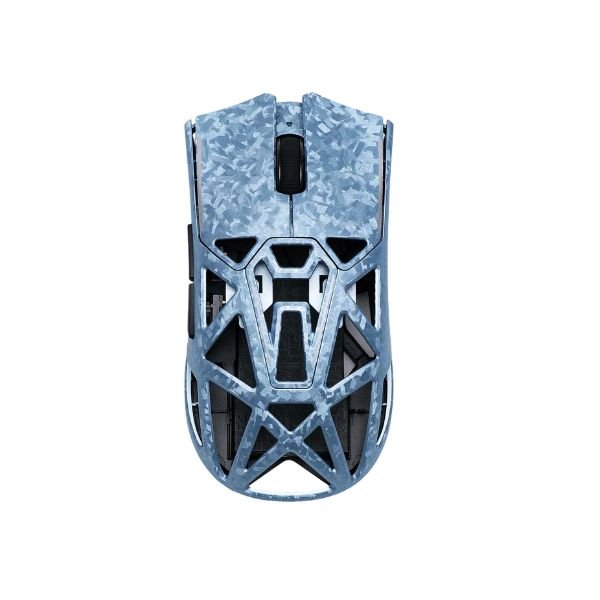
Akko Echo Master Mouse – Specs, Features, Review & Final Verdict
Available
Pros & Cons
Pros
- 55 g listed weight (ultralight class)
- PixArt PAW3955 sensor is identified, making comparison easier
- 125–8000 Hz adjustable polling option for compatible high-refresh setups
- Wired, 2.4 GHz and Bluetooth connection choices
- Published battery guidance: Up to 220 hours at 1K; up to 28 hours at 8K (official estimate)
Cons
- Fit is personal; compare 124.3 mm × 63.7 mm × 40.5 mm with a mouse you already use
- The highest polling mode can increase CPU and battery demand
- Configuration software is listed for Windows only
Specifications
Basic Information
| Brand | Akko |
| Model Name | Echo Master |
| Release Year | - |
| Category | Mouse |
| Grip Style | Palm / Claw / Large hands |
| Ergonomics | Right-handed |
| Design Type | Composite carbon fiber open-shell |
| Color Options | - |
Dimensions & Weight
| Length | 124.3 mm |
| Width | 63.7 mm |
| Height | 40.5 mm |
| Weight | 55 g |
| Material | Composite carbon fiber |
| Feet Material | PTFE |
Sensor & Performance
| Sensor Type | Optical |
| Sensor Model | PixArt PAW3955 |
| Resolution (DPI) | Up to 65,000 DPI |
| Tracking Accuracy | Gaming-grade optical tracking |
| Polling Rate | 125–8000 Hz adjustable |
| Max Tracking Speed | 750 IPS |
| Max Acceleration | - |
| Lift-off Distance | 0.7–1.7 mm adjustable |
| Click Latency | - |
| Onboard Memory | - |
Switches & Buttons
| Switch Type | Omron Optical |
| Durability | 70 million clicks |
| Total Buttons | 5–6 |
| Scroll Wheel | TTC Gold mechanical encoder |
| Side Buttons | 2 |
| Middle Click | Standard |
| Macro Support | Software-dependent |
Connectivity
| Connection Type | Tri-mode: 2.4G wireless / Bluetooth / USB-C wired |
| Cable Length | - |
| Cable Type | - |
| Wireless Receiver | 2.4G receiver |
| Charging Port | USB-C |
| Compatibility | Windows; Bluetooth/USB support varies by OS |
Compatibility
| Software | Akko Gaming Hub / Web driver |
| System Support | Windows; Bluetooth/USB support varies by OS |
| Interface Required | USB-A / USB-C |
Battery & Charging
| Battery Type | 300 mAh rechargeable battery |
| Battery Life | Up to 220 hours at 1K; up to 28 hours at 8K (official estimate) |
| Charging Method | USB-C wired |
| Charge Time | - |
Smart Features
| Smart Features | Nordic 54L15 MCU, dual 8K polling, adjustable DPI, macro/software customization |
More from akko
 Akko Echo Ultra Mouse – Specs, Features, Review & Final VerdictSensor PixArt PAW3950DPI Up to 42,000 DPIPolling Rate 125–8000 Hz adjustable
 Akko Dash Pro Mouse – Specs, Features, Review & Final VerdictSensor PixArt PAW3315DPI Up to 16,000 DPIPolling Rate Up to 1000 Hz
 Akko Framer Ultra Mouse – Specs, Features, Review & Final VerdictSensor PixArt PAW3950DPI Up to 42,000 DPIPolling Rate Up to 8000 Hz
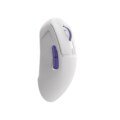 Akko Framer Max Mouse – Specs, Features, Review & Final VerdictSensor PixArt PAW3395DPI Up to 32,000 DPIPolling Rate Up to 8000 Hz
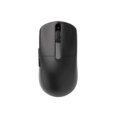 Akko Dash Master Mouse – Specs, Features, Review & Final VerdictSensor PixArt PAW3955DPI Up to 65,000 DPIPolling Rate Up to 8000 Hz
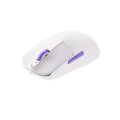 Akko Dash Ultra Mouse – Specs, Features, Review & Final VerdictSensor PixArt PAW3950DPI Up to 42,000 DPIPolling Rate Up to 8000 Hz
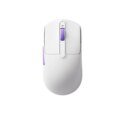 Akko Dash Max Mouse – Specs, Features, Review & Final VerdictSensor PixArt PAW3395DPI Up to 26,000 DPIPolling Rate Up to 8000 Hz
 Akko Nest Mouse – Specs, Features, Review & Final VerdictSensor PixArt PAW3950DPI 400–30,000 DPIPolling Rate 8K wired + 8K 2.4G; 250 Hz Bluetooth
 Akko Pulse 01 Mouse – Specs, Features, Review & Final VerdictSensor PixArt PAW3950DPI 400–30,000 DPIPolling Rate 8K wired + 8K 2.4G; 250 Hz Bluetooth
 Akko AG ONE 8K Mouse – Specs, Features, Review & Final VerdictSensor PixArt PAW3395DPI 400–26,000 DPIPolling Rate 8K wired + 8K 2.4G; 125 Hz Bluetooth