
- InputArena – Compare Mouse & Keyboard
- All Gadgets
- Mouse
- ASUS ProArt MD300 – Specification
Mouse
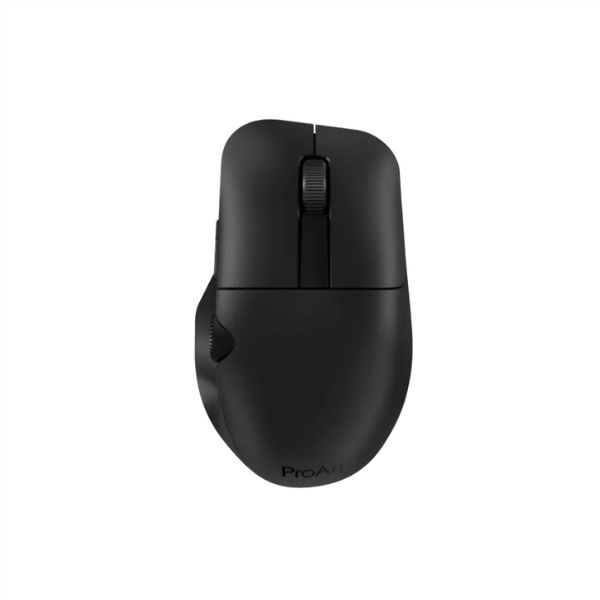
Pros & Cons
Pros
- 109 g listed weight (heavier class)
- Optical sensor is identified, making comparison easier
- Published battery guidance: Up to 150 days
Cons
- Fit is personal; compare 118 mm × 73 mm × 43 mm with a mouse you already use
- Configuration software is listed for Windows only
Specifications
Basic Information
| Brand | ASUS |
| Model Name | ProArt MD300 |
| Release Year | 2022 |
| Category | Mouse |
| Grip Style | Palm |
| Ergonomics | Right-handed |
| Design Type | Professional |
| Color Options | Black |
Dimensions & Weight
| Length | 118 mm |
| Width | 73 mm |
| Height | 43 mm |
| Weight | 109 g |
| Material | Matte plastic |
| Feet Material | PTFE (Low Friction) |
Sensor & Performance
| Sensor Type | Optical |
| Sensor Model | Not specified |
| Resolution (DPI) | Up to 4200 DPI |
| Tracking Accuracy | Precise on glass |
| Polling Rate | 1000 Hz |
| Max Tracking Speed | Not specified |
| Max Acceleration | Not specified |
| Lift-off Distance | Not specified |
| Click Latency | Low (pivoted buttons) |
| Onboard Memory | No |
Switches & Buttons
| Switch Type | Pro-grade Tact switches |
| Durability | 50 Million clicks |
| Total Buttons | 6 |
| Scroll Wheel | Standard scroll + independent button |
| Side Buttons | Customizable |
| Middle Click | Independent large button |
| Macro Support | Yes (ProArt Creator app) |
Connectivity
| Connection Type | Wireless (2.4 GHz RF + Bluetooth) |
| Cable Length | N/A |
| Cable Type | USB-C charging cable |
| Wireless Receiver | 2.4 GHz USB dongle |
| Charging Port | USB-C |
| Compatibility | Windows 10/11 |
Compatibility
| Software | ProArt Creator app |
| System Support | Windows 10/11 |
| Interface Required | USB-A port |
Battery & Charging
| Battery Type | AA Battery |
| Battery Life | Up to 150 days |
| Charging Method | Replaceable battery |
| Charge Time | Not applicable |
Smart Features
| Smart Features | ASUS Dial integration for Adobe apps Multi-device pairing (up to 3) Energy-efficient Bluetooth mode Smooth PTFE feet |
More from asus
 ASUS ROG Pugio – SpecificationSensor PixArt PMW3330DPI 50 – 7,200 DPIPolling Rate 1000 Hz
 ASUS ROG Spatha – SpecificationSensor PixArt PMW3360DPI 50 – 12,000 DPIPolling Rate 1000 Hz (wired) / 125 Hz wireless
 ASUS ROG Strix Impact II – SpecificationSensor ROG 12,000 DPIDPI 100 – 12,000 DPIPolling Rate 1000 Hz
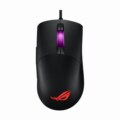 ASUS ROG Keris – SpecificationSensor ROG AimPointDPI 50 – 36,000 DPIPolling Rate 1000 Hz
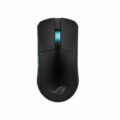 ASUS ROG Harpe II Ace – SpecificationSensor ROG AimPoint ProDPI 100 – 42,000 DPIPolling Rate 8000 Hz
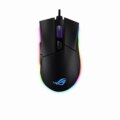 ASUS ROG Gladius II – SpecificationSensor ROG AimPointDPI 100 – 26,000 DPIPolling Rate 1000 Hz (8000 Hz wired)
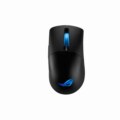 ASUS ROG Keris – SpecificationSensor PixArt PAW3395DPI 100 – 26,000 DPIPolling Rate 8000 Hz
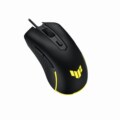 ASUS TUF Gaming M3 Gen II – SpecificationSensor PixArt PAW3335DPI 100 – 16,000 DPIPolling Rate Up to 4000 Hz
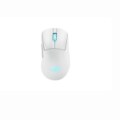 ASUS ROG Keris II Origin – SpecificationSensor ROG AimPoint ProDPI 100 – 42,000 DPIPolling Rate Up to 8000 Hz
- ASUS ROG Harpe Ace Extreme – SpecificationSensor ROG AimPoint ProDPI 100 – 42,000 DPIPolling Rate 8000 Hz (with booster)