
- InputArena – Compare Mouse & Keyboard
- All Gadgets
- Keyboard
- Lofree Flow Lite100 – Full specification
Keyboard
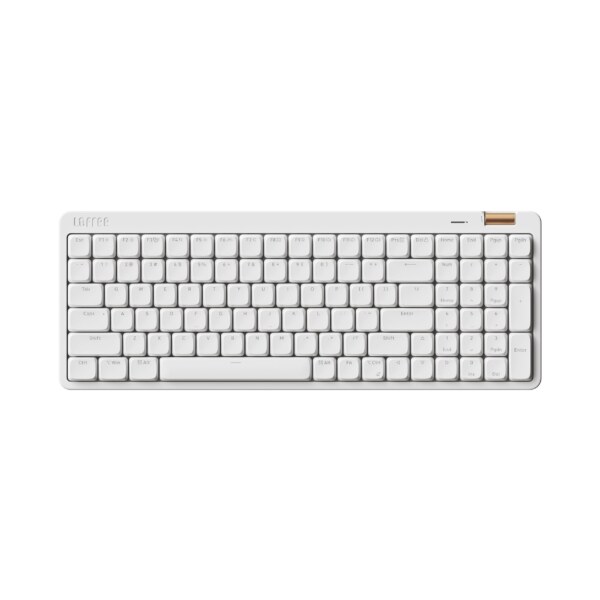
Lofree Flow Lite100 – Full specification
Available
Official
Pros & Cons
Pros
- Slim, lightweight aluminum design enhances portability.
- Quiet, smooth 40gf switches ideal for office typing.
- Versatile connectivity with long battery life.
- Customizable via key configurator software.
- Affordable entry into low-profile premium keyboards.
Cons
- Limited switch options (linear only).
- Basic RGB (white LEDs only).
- No wireless charging support.
- Software lacks advanced programming depth.
- Shine-through keycaps may wear over time.
Specifications
Genral Info
| Brand | Lofree |
| Model Name | Flow Lite100 |
| Series | Flow Series |
| Type | Mechanical (Wireless + Wired) |
| Layout | 75% (Compact) |
| Release Year | 2024 |
| Use Case | Work, Gaming, Productivity, Aesthetic Setup |
DESIGN & BUILD
| Frame Material | Aluminum-magnesium alloy top, ABS plastic base |
| Plate Material | Steel with sound dampening layer |
| Keycap Material | PBT (Dye-sublimated) |
| Color Options | White Mist, Forest Green, Smoky Black |
| Dimensions (L × W × H) | 325 × 138 × 32 mm |
| Weight | 850 g |
| Form Factor | Compact 75% layout |
| Finish | Anodized matte coating with chamfered edges |
SWITCH & TYPING EXPERIENCE
| Switch Type | Mechanical (Hot-swappable) |
| Switch Options | Kailh Box White V2 / Gateron Baby Kangaroo / Lofree Ghost Linear |
| Mount Type | Gasket mount with dual silicone isolation pads |
| Stabilizers | Factory pre-lubed screw-in stabilizers |
| Typing Angle | Adjustable (2 levels) |
| Key Rollover | Full N-key (wired) / 6-key (Bluetooth) |
| Actuation Force | 40–50g (depending on switch) |
| Key Travel | 2.0 mm actuation / 4.0 mm total |
| Typing Feel | Balanced tactile feedback with low-pitched “thock” acoustics |
PERFORMANCE
| Response Time (Bluetooth) | 8–10 ms (Bluetooth) |
| Response Time (Bluetooth) | 8–10 ms (Bluetooth) |
| Anti-Ghosting | 100% (NKRO) |
| Input Lag | Negligible (Optimized gaming mode) |
| Latency Mode | Low-latency toggle via Fn shortcut |
RGB & LIGHTING
| Backlight Type | Per-key RGB with ambient glow ring |
| LED Orientation | South-facing LEDs |
| Lighting Effects | 20+ preset effects with gradient modes |
| Custom Effects | Programmable via Lofree Console software |
| Brightness Levels | 6-step adjustment |
| Control | Onboard shortcuts + software customization |
SOFTWARE & CUSTOMIZATION
| Firmware | QMK / VIA compatible |
| Key Remapping | Fully programmable |
| Macro Support | Up to 4 layers of macros |
| Profile Storage | 3 onboard profiles |
| Firmware Update | Firmware update via USB-C |
| Hotkey Shortcuts | Lighting, media controls, brightness options |
SOUND & COMFORT
| Acoustic Dampening | Integrated Poron and silicone layers |
| Typing Sound Profile | Muted “thock” with minimal echo |
| Gasket Mount | Gasket mount soft and flexible feedback |
| Noise Reduction | Noise reduction through multiple dampening layers |
| Wrist Rest | Optional magnetic palm rest |
| Tilt Feet | Dual-level height adjustment |
Support and compatibility
| Software Support | Windows, macOS, Linux, Android, iOS |
| Plug-and-Play | Lofree Console / VIA |
| Layout Options | macOS / Windows caps included |
BATTERY & CONNECTIVITY
| Battery Capacity | 4500 mAh |
| Battery Type | rechargeable lithium-polymer |
| Battery Life (No RGB) | Up to 220 hours |
| Battery Life (RGB On) | 70–90 hours |
| Charging Port | USB Type-C |
| Charge Time | Approx. 3 hours |
| Wireless Mode | Bluetooth 5.2 |
| Wired Mode | USB-C cable connection |
| Multi-Device Pairing | Yes, up to 3 devices |
| Switch Between Devices | Fn + 1/2/3 shortcuts |
| Polling Rate (Wired) | 1000 Hz |
| Polling Rate (Wireless) | 125 Hz |
More from lofree
 Lofree Flow 2 100 – Full specificationSwitches Low-profile Mechanical (Hot-swappable)Backlight Per-key RGBBattery Life 65–75 hours
 Lofree Flow Lite84 – Full specificationSwitches Low-profile mechanical (Hot-swappable)Backlight Per-key RGBBattery Life 80–100 hours
 Lofree Lipstick – Full specificationSwitches Mechanical (Hot-swappable, compatible with 3-pin/5-pin)Backlight Warm white LED (5000K)Battery Life Up to 30 hours (backlight on)
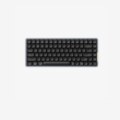 Lofree Flow 2 84 – Full specificationSwitches Mechanical (Hot-swappable)Backlight Per-key RGBBattery Life 60–70 hours
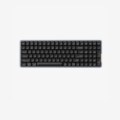 Lofree Flow Lite100 – Full specificationSwitches Mechanical (Hot-swappable)Backlight Per-key RGB with ambient glow ringBattery Life 70–90 hours
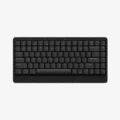 Lofree Edge Low-profile – Full specificationSwitches Low-profile mechanical (Hot-swappable)Backlight Per-key RGBBattery Life 45–50 hours
- Lofree Flow84 – Full specificationSwitches Low-profile mechanical (hot-swappable)Backlight White LED (adjustable)Battery Life 10–15 hours
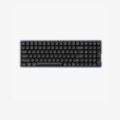 Lofree Flow100 – Full specificationSwitches Mechanical (Hot-swappable, Low-profile)Backlight Per-key RGBBattery Life 80–90 hours
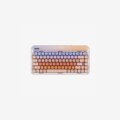 Lofree Sugar Color 70s – Full specificationSwitches Mechanical (Hot-swappable)Backlight Per-key warm white LED (5000K)Battery Life Up to 30 hours (lights on)