
- InputArena – Compare Mouse & Keyboard
- All Gadgets
- Mouse
- Rapoo VT9PRO – Specification, Price and Review
Mouse
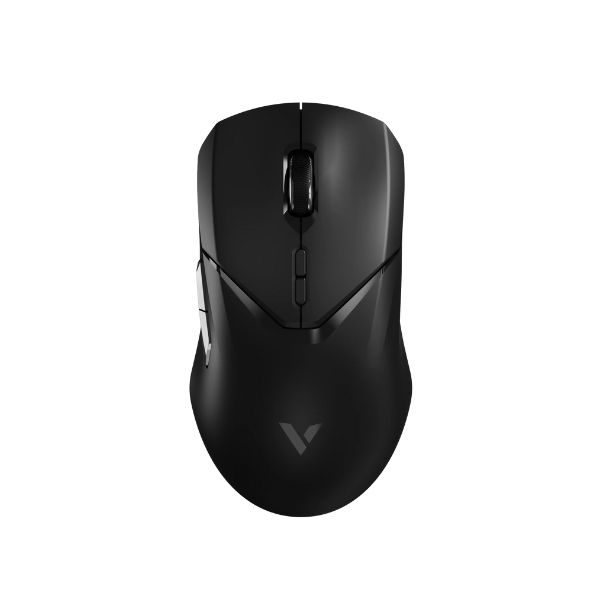
Rapoo VT9PRO – Specification, Price and Review
Available
Coming Soon
Official
Specifications
Basic Information
| Brand | Rapoo |
| Model Name | VT9PRO |
| Release Year | 2025 |
| Grip Style | Palm, Claw, Fingertip |
| Ergonomics | Ambidextrous |
| Color Options | Black |
Dimensions & Weight
| Length | 125 mm (approx) |
| Width | 67 mm (approx) |
| Height | 40 mm (approx) |
| Weight | 68 g (0.15 lbs) |
| Material | Plastic |
| Feet Material | PTFE Teflon (smooth glide) |
Sensor & Performance
| Sensor Type | Optical |
| Sensor Model | PixArt PAW3398 |
| Resolution (DPI) | 50 – 26,000 (7 levels) |
| Tracking Accuracy | High precision, no frame loss |
| Polling Rate | Up to 8000 Hz |
| Max Tracking Speed | 650 IPS |
| Max Acceleration | 50 G |
| Lift-off Distance | Adjustable, 11 levels |
| Click Latency | 0.125 ms |
| Onboard Memory | Yes |
Switches & Buttons
| Switch Type | Omron micro switches (50M clicks) |
| Durability | Rated for 50 million clicks |
| Total Buttons | 10 programmable buttons (1+9) |
| Scroll Wheel | Gaming-grade mechanical scroll wheel (1M cycles) |
| Side Buttons | Customizable |
| Middle Click | Standard |
| Macro Support | Yes |
Connectivity
| Connection Type | Dual mode - Wireless (2.4 GHz V+), Wired (USB) |
| Cable Length | Standard USB cable |
| Cable Type | USB-C |
| Wireless Receiver | Nano 4K receiver |
| Charging Port | USB-C |
| Compatibility | Windows, macOS, ChromeOS |
Compatibility
| Software | Rapoo customization software (Windows/macOS) |
| System Support | Windows, macOS, ChromeOS |
| Interface Required | USB-A port for receiver |
Battery & Charging
| Battery Type | Built-in rechargeable Lithium Polymer |
| Battery Life | Up to 160 hours (no RGB) |
| Charging Method | USB-C wired charging |
| Charge Time | Not stated |
Smart Features
| Smart Features | V+ Wireless, Adjustable LOD, Onboard memory, Lightweight ambidextrous, C+ Click, Long battery |
More from Rapoo
 Rapoo V30LSensor PAW 3311DPI 400 – 12,000 (adjustable)Polling Rate 1000 Hz (typical for 2.4GHz wireless)
 Rapoo VT1 MAX GEN-2 – Specification, Price and ReviewSensor Original Phase 3398 (MAX Edition includes upgraded sensor with up to 45,000 DPI)DPI 50 – 30,000 (independent X/Y DPI adjustments available)Polling Rate Dual-mode 8,000 Hz wired & wireless (via V+ Wireless 2.0 technology)
 Rapoo V30L – Specification, Price and ReviewSensor PAW 3311DPI 400 – 12,000 (adjustable)Polling Rate 1000 Hz (typical for 2.4GHz wireless)
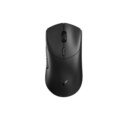 Rapoo VT1 MAX GEN-2Sensor Original Phase 3398 (MAX Edition includes upgraded sensor with up to 45,000 DPI)DPI 50 – 30,000 (independent X/Y DPI adjustments available)Polling Rate Dual-mode 8,000 Hz wired & wireless (via V+ Wireless 2.0 technology)
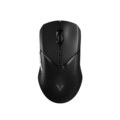 Rapoo VT9PRO – Specification, Price and ReviewSensor PixArt PAW3398DPI 50 – 26,000 (7 levels)Polling Rate Up to 8000 Hz
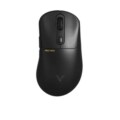 Rapoo VT3PRO MAX – Specification, Price and ReviewSensor PixArt PAW3950 UltimateDPI 10 – 30,000Polling Rate Up to 8000 Hz
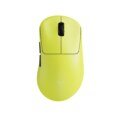 Rapoo VT3s Gen-2Sensor PAW3398 (customized version)DPI 100 – 26,000 DPI (adjustable)Polling Rate Native 8kHz (0.125 ms) with adjustable 7-level polling rates down to 125 Hz
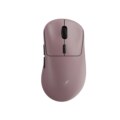 Rapoo VT3 MAX Gen-2Sensor PixArt PAW3950 UltimateDPI Up to 30,000 DPI (independent X/Y DPI adjustment available)Polling Rate True 8000 Hz wireless polling rate (0.125 ms)
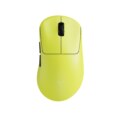 Rapoo VT3s Gen-2 – Specification, Price and ReviewSensor PAW3398 (customized version)DPI 100 – 26,000 DPI (adjustable)Polling Rate Native 8kHz (0.125 ms) with adjustable 7-level polling rates down to 125 Hz
- Rapoo VT3 MAX Gen-2 – Specification, Price and ReviewSensor PixArt PAW3950 UltimateDPI Up to 30,000 DPI (independent X/Y DPI adjustment available)Polling Rate True 8000 Hz wireless polling rate (0.125 ms)