
- InputArena – Compare Mouse & Keyboard
- All Gadgets
- Compare
- Logitech M185 vs Logitech M240
Logitech M185 vs Logitech M240
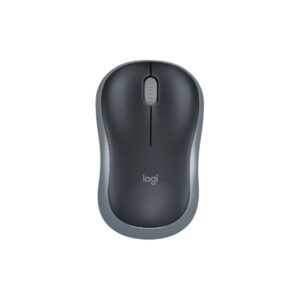
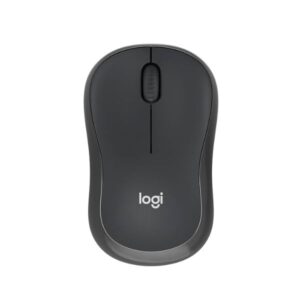
Basic Information
| Brand | Logitech Logitech |
| Model Name | Wireless Mouse M185 M240 Silent Bluetooth Mouse |
| Release Year | N/A 2020 |
| Grip Style | Ambidextrous Contour shape, ambidextrous |
| Ergonomics | Right- and left-handed users Suitable for both left and right-handed users |
| Color Options | Black, Grey, Red, Blue Graphite, Off-White, Rose |
Dimensions & Weight
| Length | 99 mm (3.9 in) 99 mm (3.90 in) |
| Width | 60 mm (2.36 in) 60 mm (2.36 in) |
| Height | 39 mm (1.54 in) 39 mm (1.54 in) |
| Weight | 75.2 g (0.166 lbs) including battery 73.8 g (0.16 lbs) |
| Material | Plastic (contoured matte finish) Plastic with 37-48% post-consumer recycled material (varies by color) |
| Feet Material | Standard plastic feet |
Sensor & Performance
| Sensor Type | Optical Optical |
| Sensor Model | Advanced Optical Tracking |
| Resolution (DPI) | 1000 DPI (fixed) 400 – 4,000 (adjustable in 100 DPI steps) |
| Tracking Accuracy | Smooth optical tracking Smooth optical tracking |
| Polling Rate | N/A (wireless) Not specified |
| Max Tracking Speed | N/A Not specified |
| Max Acceleration | N/A Not specified |
| Lift-off Distance | N/A Not specified |
| Click Latency | N/A Not specified |
| Onboard Memory | No No |
Switches & Buttons
| Switch Type | Standard mechanical switches Standard mechanical silent switches |
| Durability | N/A Rated for approximately 5 million clicks |
| Total Buttons | 3 (Left, Right, Middle click) 3 (Left-click, Right-click, Middle click with scroll wheel) |
| Scroll Wheel | 2D optical scroll wheel (line-by-line scrolling) 2D mechanical scroll wheel with line-by-line scrolling |
| Side Buttons | No No |
| Middle Click | Yes Standard |
| Macro Support | No No |
Connectivity
| Connection Type | Wireless 2.4 GHz radio via USB nano receiver Bluetooth Low Energy (no dongle required) |
| Cable Length | N/A |
| Cable Type | N/A |
| Wireless Receiver | USB nano receiver (plug and play) |
| Charging Port | No |
| Compatibility | Windows, macOS, Chrome OS, Linux Windows 10, 11; macOS 11+; ChromeOS; Linux; Android 9.0+; iPadOS 14+ |
Compatibility
| Software | Optional Logitech Options+ customization app (Windows/macOS) Logi Options+ (optional) |
| System Support | Windows Vista and later, macOS 10.5+, Chrome OS, Linux Kernel 2.6+ Windows 10, 11; macOS 11+; ChromeOS; Linux; Android 9.0+; iPadOS 14+ |
| Interface Required | USB port for nano receiver Bluetooth-enabled device or Logi Bolt USB Receiver (optional) |
Battery & Charging
| Battery Type | 1 x AA alkaline battery (included) 1 x AA battery (pre-installed) |
| Battery Life | Up to 12 months (typical) Up to 18 months |
| Charging Method | Replaceable battery Battery replacement (non-rechargeable) |
| Charge Time | N/A Not applicable |
Smart Features
| Smart Features |
On/Off switch for power saving; Advanced 2.4 GHz wireless connectivity up to 10 meters; Plug-and-play with nano receiver; Contoured compact shape; No software required for basic use
SilentTouch Technology (reduces click noise by ~90%) Auto sleep mode for battery conservation Compatible with Logi Options+ customization software (Windows/macOS) Certified carbon neutral product with sustainable materials in build |
|