Skip to content
  1. InputArena – Compare Mouse & Keyboard
  2. All Gadgets
  3. Mouse
  4. ATTACK SHARK R11 Ultra – Full specification
Mouse
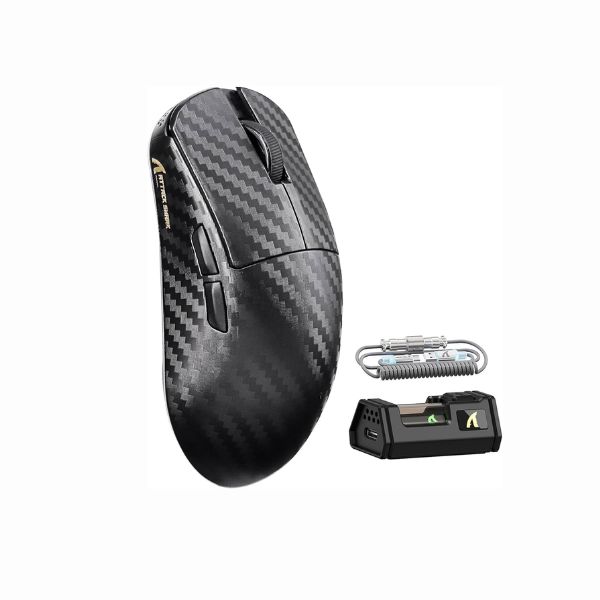
ATTACK SHARK R11 Ultra – Full specification
attack-shark Mouse SKU: AS-R11-ULTRA

ATTACK SHARK R11 Ultra – Full specification

$85.00
Available 10.0/10Outstanding
  • Sensor PixArt PAW3950 MAX
  • DPI 50 – 42,000 DPI
  • Polling Rate 8000 Hz
  • Weight 49 g ± 3 g
  • Connection Wireless (2.4 GHz / Bluetooth 5.2) / Wired
  • Grip Style Claw, Fingertip
View Full Specs

ATTACK SHARK R11 Ultra

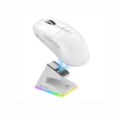
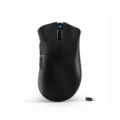
ATTACK SHARK R11 Ultra is a mouse built around Right-handed, Claw, Fingertip grip guidance and PixArt PAW3950 MAX, 49 g ± 3 g, 8000 Hz, Wireless (2.4 GHz / Bluetooth 5.2) / Wired. The main buying point is whether its shape, weight and connection setup match your hand and desk setup. The main trade-off is that shape and hand-fit must be verified before buying. This guide is based on supplied specification fields and avoids direct product testing claims.

Pros & Cons

Pros
  • Listed sensor: PixArt PAW3950 MAX
  • DPI range: 50 – 42,000 DPI
  • Polling rate: 8000 Hz
  • Weight: 49 g ± 3 g
  • Connection: Wireless (2.4 GHz / Bluetooth 5.2) / Wired
  • Switches: Omron Optical Micro Switches
Cons
  • Shape and hand fit should be verified before buying

Our Rating Scores are set by our editors from the manufacturer-published specifications, not from hands-on testing.

10
/ 10 Outstanding
Design 10
Sensor 10
Switches & Buttons 10
Connectivity 10
Compatibility 10

Specifications

Basic Information

Brand ATTACK SHARK
Model Name R11 Ultra
Release Year 2025
Category Mouse
Grip Style Claw, Fingertip
Ergonomics Right-handed
Design Type Ultra-lightweight
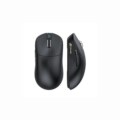
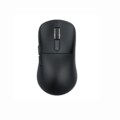
Color Options Black

Dimensions & Weight

Length 124 mm
Width 65.5 mm
Height 38 mm
Weight 49 g ± 3 g
Material Carbon fiber composites
Feet Material Double-layer PTFE

Sensor & Performance

Sensor Type Optical
Sensor Model PixArt PAW3950 MAX
Resolution (DPI) 50 – 42,000 DPI
Tracking Accuracy Flawless
Polling Rate 8000 Hz
Max Tracking Speed 750 IPS
Max Acceleration 50 G
Lift-off Distance <0.7 mm (adjustable)
Click Latency <1 ms
Onboard Memory Yes

Switches & Buttons

Switch Type Omron Optical Micro Switches
Durability 70 Million clicks
Total Buttons 6
Scroll Wheel F-Switch Encoder (2M cycles)
Side Buttons Customizable
Middle Click Standard
Macro Support Yes

Connectivity

Connection Type Wireless (2.4 GHz / Bluetooth 5.2) / Wired
Cable Length C06 Ultra LED Cable
Cable Type Paracord with LED
Wireless Receiver 2.4 GHz Nano Dongle
Charging Port USB-C
Compatibility Windows, macOS

Compatibility

Software Attack Shark Web / Driver Software
System Support Windows 10/11, macOS 11+
Interface Required USB-A / USB-C port

Battery & Charging

Battery Type 300 mAh Li-Po
Battery Life Up to 100 Hours
Charging Method USB-C Wired
Charge Time Approx. 1.5 hours

Smart Features

Smart Features Nano-metal ice coating
Hunting Shark mode
Nordic 52840 MCU
Onboard DPI switching
Web-based customization

⚡ Real-World Performance Analysis

Polling Rate
8000 Hz
A high polling rate helps most when your whole setup - PC, driver and game - can sustain it consistently.
DPI
50 – 42,000 DPI
Real-world aim comes down to sensor tracking and personal sensitivity, not the maximum DPI figure alone.
Tracking Speed
750 IPS
Sourced from the manufacturer's own maximum tracking speed spec.
Wireless Mode
Wireless (2.4 GHz / Bluetooth 5.2) / Wired
For gaming, the 2.4 GHz receiver or wired mode is the faster choice - Bluetooth suits everyday convenience more than competitive play.
Response Feel

Based on the listed specs, ATTACK SHARK R11 Ultra should be judged by sensor consistency, click feel, weight balance and shape fit. Actual response should be confirmed through testing.

Latency Notes

Latency and polling figures are the manufacturer's published specifications, not independently measured results.

Tracking Notes

Tracking speed and acceleration figures reflect the sensor's published specifications rather than independent lab measurement.

Daily Use

For daily browsing and work, ATTACK SHARK R11 Ultra can be used like a normal mouse, but its value depends most on comfort, grip fit and connection preference.

✋ Shape & Grip Guide — Is This Mouse Right for Your Hand?

ShapeRight-handed
Size124 mm × 65.5 mm × 38 mm
Weight Feel49 g ± 3 g listed, ultra-lightweight range
Best GripsClaw, Fingertip

ATTACK SHARK R11 Ultra lists Claw, Fingertip grip support with 124 mm × 65.5 mm × 38 mm dimensions and 49 g ± 3 g. Compare these numbers with a mouse you already use before buying because hand fit matters more than a spec table.

Good fit if

  • You use Claw, Fingertip grip and the dimensions fit your hand.
  • You prefer the listed 49 g ± 3 g weight class.
  • You want a mouse with PixArt PAW3950 MAX.
  • You can actually use the listed 8000 Hz polling mode on your PC/game setup.
  • You want the listed wireless/wired connection options.

Consider another shape if

  • You cannot compare the listed shape and dimensions with your hand size.
  • You prefer a heavier comfort-focused office mouse.

🎯 Sensor & Tracking Quality — What You're Actually Getting

Sensor
PixArt PAW3950 MAX
This reflects the published sensor specification.
DPI Range
50 – 42,000 DPI
Everyday sensitivity settings matter more for control than the maximum DPI ceiling.
Polling Rate
8000 Hz
The benefit of higher polling shows up only when your PC and game can sustain it consistently.
Lift-off Distance
<0.7 mm (adjustable)
Tracking
750 IPS / 50 G

sensor PixArt PAW3950 MAX, DPI 50 – 42,000 DPI, polling 8000 Hz, tracking speed 750 IPS, acceleration 50 G. Avoid mixing tracking accuracy text with IPS speed; the tracking speed card is filled only from the listed max tracking speed field.

🧩 Clicks, Buttons & Build Quality

Switches
Omron Optical Micro Switches
The official product page has the most reliable detail on switch feel and rated durability.
Buttons
6
Product photos are the clearest way to confirm exact side-button placement.
Scroll Wheel
F-Switch Encoder (2M cycles)
Mouse Feet
Double-layer PTFE
Shell / Body
Carbon fiber composites
Coating / Finish
Black

ATTACK SHARK R11 Ultra should be checked for shell coating, button feel and scroll-wheel behavior before final buying. Listed material: Carbon fiber composites. Listed feet: Double-layer PTFE.

🔋 Wireless & Battery — What to Expect

Connection
Wireless (2.4 GHz / Bluetooth 5.2) / Wired
Battery Life
Up to 100 Hours
Charging
USB-C Wired
Receiver / Dongle
2.4 GHz Nano Dongle

For gaming, use the listed 2.4 GHz/wireless receiver or wired mode when available. battery life, receiver package and high-polling support are not confirmed in the published spec sheet.

🎮 Gaming Use Cases — How Does It Perform?

🎯FPS / Aim Training
Strong on paper

ATTACK SHARK R11 Ultra can work for FPS if the shape, 49 g ± 3 g and sensor setup fit your hand. Comfort and control matter more than maximum DPI.

🧙MOBA / RPG
Good for standard use

For MOBA and RPG, the standard button layout is enough for most players. Choose a mouse with more side buttons only if you need many shortcuts.

🕹️Casual Gaming
Good

For casual gaming and everyday use, shape comfort and reliable clicks matter more than high-end sensor numbers.

🏆Competitive Notes
Good on paper

For serious competitive use, the receiver, cable and firmware setup all affect real click and polling behaviour as much as the raw spec sheet does.

👤 Who Should Buy This Mouse?

Buy if

  • You use Claw, Fingertip grip and the dimensions fit your hand.
  • You prefer the listed 49 g ± 3 g weight class.
  • You want a mouse with PixArt PAW3950 MAX.
  • You can actually use the listed 8000 Hz polling mode on your PC/game setup.
  • You want the listed wireless/wired connection options.

Skip if

  • You cannot compare the listed shape and dimensions with your hand size.
  • You prefer a heavier comfort-focused office mouse.

🛒 Practical Buying Advice

Before Buying

Before buying ATTACK SHARK R11 Ultra, verify the exact sensor, switch type, dimensions, weight, receiver/cable package, software support, price and warranty.

Value Check

ATTACK SHARK R11 Ultra gives the most value if its Claw, Fingertip shape and 49 g ± 3 g fit your hand. Do not buy only because of maximum DPI or polling numbers.

Best Configuration

Choose the color/bundle that includes the cable, receiver or accessories you need. Confirm whether high polling requires a specific dongle or firmware setting.

What to Verify

Sensor: PixArt PAW3950 MAX
DPI: 50 – 42,000 DPI
Polling: 8000 Hz
Tracking speed: 750 IPS
Weight: 49 g ± 3 g
Connection: Wireless (2.4 GHz / Bluetooth 5.2) / Wired
Battery life: Up to 100 Hours

Buying Call

Buy ATTACK SHARK R11 Ultra if the grip, weight and connection mode match your gaming/desk setup. Skip it if you need a different shape, Bluetooth convenience or many productivity buttons.

🏁 Final Verdict

ATTACK SHARK R11 Ultra: choose it if the shape fits your hand

ATTACK SHARK R11 Ultra has a listed spec set built around PixArt PAW3950 MAX, 8000 Hz and 49 g ± 3 g. The safe buying decision depends on shape fit, connection package and verified software, price and warranty details.

Sensor: PixArt PAW3950 MAXWeight: 49 g ± 3 gGrip: Claw, FingertipConnection: Wireless (2.4 GHz / Bluetooth 5.2) / Wired

💻 Compatibility & Software Notes

Software
Attack Shark Web / Driver Software
Supported OS
Windows, macOS
Profiles / Memory
Yes

The software and OS fields reflect what's officially listed - firmware version, polling behaviour and profile storage can vary, so check the manufacturer's current documentation for specifics.

🔁 Alternatives to Consider

Same

brand lighter/heavier model: compare if you like the brand but need a different weight or shape.

Mainstream wireless gaming mouse

compare if you want wider software support and more reviews.

Ergonomic productivity mouse

choose this if office comfort and extra workflow buttons matter more than gaming specs.

Wired gaming mouse

choose this if you want simpler setup and do not need wireless convenience.

✅ Source / Verification Notes

Specifications on this page come from the manufacturer's published listing.

We have not physically tested this exact unit, so treat latency, battery life, coating durability and click feel as manufacturer claims rather than independently measured results.

❓ Frequently Asked Questions

Reviews

  • Be the first to add a Review

    Please post a user review only if you have / had this product.

  • Rate this Product

  • 8
  • 8
  • 8
  • 8
  • 8
  • 6 / 10 based on your selection
Scroll to Top