
- InputArena – Compare Mouse & Keyboard
- All Gadgets
- Mouse
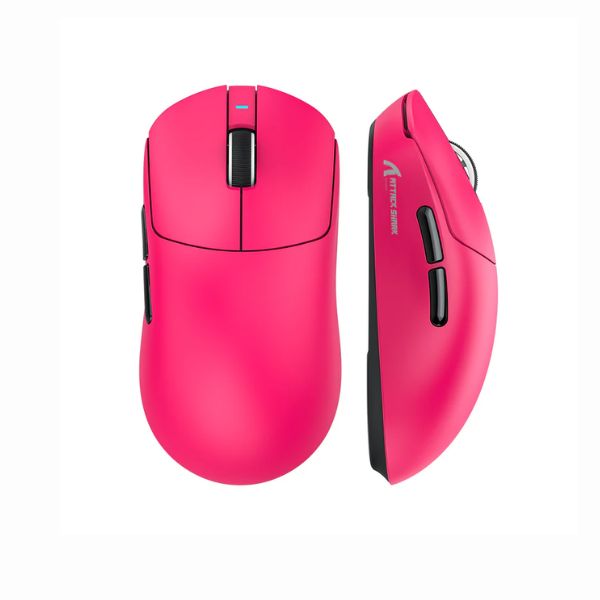
- ATTACK SHARK X8 – Full specification
Mouse
Pros & Cons
Pros
- 55 g listed weight (ultralight class)
- PixArt (model not specified) sensor is identified, making comparison easier
- Wired, 2.4 GHz and Bluetooth connection choices
- Published battery guidance: Up to 300 hours
Cons
- Fit is personal; compare 125 mm × 63 mm × 39.7 mm with a mouse you already use
Specifications
Basic Information
| Brand | ATTACK SHARK |
| Model Name | X8 |
| Release Year | 2025 |
| Category | Mouse |
| Grip Style | Palm, Claw |
| Ergonomics | Right-handed |
| Design Type | Gaming |
| Color Options | Black, White |
Dimensions & Weight
| Length | 125 mm |
| Width | 63 mm |
| Height | 39.7 mm |
| Weight | 55 g |
| Material | Matte-textured ABS plastic |
| Feet Material | PTFE Skates |
Sensor & Performance
| Sensor Type | Optical |
| Sensor Model | PixArt (model not specified) |
| Resolution (DPI) | 100 – 25,000 DPI |
| Tracking Accuracy | Flawless |
| Polling Rate | 1000 Hz |
| Max Tracking Speed | 400 IPS |
| Max Acceleration | 40 G |
| Lift-off Distance | Not specified |
| Click Latency | Low latency |
| Onboard Memory | Yes |
Switches & Buttons
| Switch Type | Omron |
| Durability | 100 Million clicks |
| Total Buttons | 6 |
| Scroll Wheel | Standard |
| Side Buttons | Customizable |
| Middle Click | Standard |
| Macro Support | Yes |
Connectivity
| Connection Type | Tri‑mode (2.4 GHz / Bluetooth / Wired USB‑C) |
| Cable Length | Not specified |
| Cable Type | USB‑C |
| Wireless Receiver | Nano Receiver |
| Charging Port | USB‑C |
| Compatibility | Windows, macOS |
Compatibility
| Software | Web-based Configurator & PC Software |
| System Support | Windows 10/11, macOS |
| Interface Required | USB‑A / USB‑C port |
Battery & Charging
| Battery Type | Built‑in Li‑Po (500 mAh) |
| Battery Life | Up to 300 hours |
| Charging Method | USB‑C Wired |
| Charge Time | Not specified |
Smart Features
| Smart Features | Tri‑mode connectivity Web‑based configuration Low‑latency wireless PTFE feet for smooth glide |
Related Comparisons


More from attack-shark
 ATTACK SHARK X8 PLUS – Full specificationSensor PixArt PAW3395PRODPI 50 – 40,000 DPIPolling Rate Up to 8000 Hz
 ATTACK SHARK V5 – Full specificationSensor PixArt PAW3950 MAXDPI 100 – 30,000 DPIPolling Rate 8000 Hz
 AJazz AJ159 APEX – Full specificationSensor PixArt PAW3950 APEXDPI Up to 42,000 DPIPolling Rate 8000 Hz
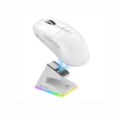 ATTACK SHARK V6 – Full specificationSensor PixArt PAW3311DPI 800–25,000Polling Rate 125–1000 Hz
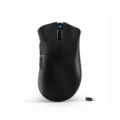 ATTACK SHARK V3 – Full specificationSensor PixArt PAW3311DPI 800–25,000Polling Rate 125–1000 Hz (Wired/2.4G), 133 Hz (BT)
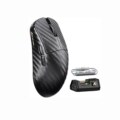 ATTACK SHARK R11 Ultra – Full specificationSensor PixArt PAW3950 MAXDPI 50 – 42,000 DPIPolling Rate 8000 Hz
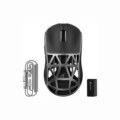 Attack Shark R2 – Full specificationSensor PixArt PAW3950DPI 100 – 42,000 DPI (6 levels)Polling Rate 8000 Hz
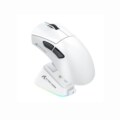 ATTACK SHARK V3 PRO – Full specificationSensor PixArt PAW3950MAXDPI Up to 30,000 DPIPolling Rate Up to 4000 Hz
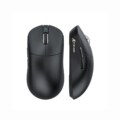 ATTACK SHARK V8 – Full specificationSensor PixArt PAW3950MAXDPI 100 – 42,000 DPIPolling Rate 8000 Hz
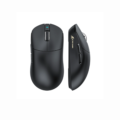 ATTACK SHARK X3 AJ159P – Full specificationSensor PixArt PAW3395DPI 100 – 26,000 DPIPolling Rate 1000 Hz