
- InputArena – Compare Mouse & Keyboard
- All Gadgets
- Keyboard
- EPOMAKER Split70 – Full specification
Keyboard
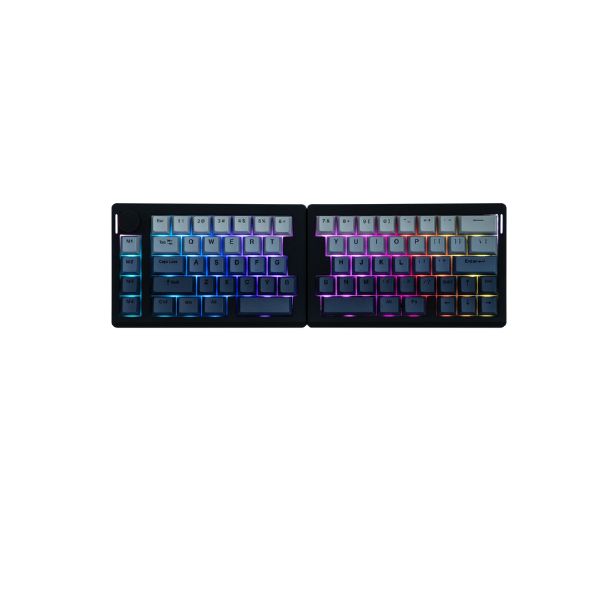
Pros & Cons
Pros
- Split 70% Layout (Ergonomic split design) layout fits Ergonomic typing, Gaming, Productivity
- Listed switch setup: Mechanical (Hot-swappable)
- Connectivity support: Bluetooth 5.3 and 2.4 GHz wireless / USB-C cable (wired mode)
- Backlight listed: Per-key RGB
- Customization support: QMK / VIA open-source
Cons
- Final buying decision depends on exact regional layout and switch variant
Specifications
Genral Info
| Brand | EPOMAKER |
| Model Name | Split70 |
| Series | Split Series |
| Type | Mechanical (Wireless + Wired) |
| Layout | Split 70% Layout (Ergonomic split design) |
| Release Year | 2025 |
| Use Case | Ergonomic typing, Gaming, Productivity |
DESIGN & BUILD
| Frame Material | ABS Plastic |
| Plate Material | PC Plate |
| Keycap Material | PBT (Cherry Profile) |
| Color Options | Multiple (including Wisteria color theme) |
| Dimensions (L × W × H) | Left: 184 × 118 × 40 mm / Right: 188 × 118 × 40 mm |
| Weight | Approx. 890 g (combined) |
| Form Factor | Split ergonomic compact 70% |
| Finish | Matte texture |
SWITCH & TYPING EXPERIENCE
| Switch Type | Mechanical (Hot-swappable) |
| Switch Options | Epomaker Wisteria Linear V2 switches |
| Mount Type | Gasket mount with five layers of padding |
| Stabilizers | Pre-lubed stabilizers |
| Number of Keys | Approx. 70 keys (split layout) |
| Typing Angle | Approx. 7 degrees |
| Key Rollover | Full N-key rollover (wired) |
| Actuation Force | Approximately 45 g actuation force (smooth linear) |
| Key Travel | Up to 3.6 mm total travel |
| Typing Feel | Creamy smooth typing sound with soft cushioned feel |
PERFORMANCE
| Response Time (Bluetooth) | Approx. 3 ms (wired), 5 ms (2.4 GHz), 15 ms (Bluetooth) |
| Response Time (Bluetooth) | Approx. 3 ms (wired), 5 ms (2.4 GHz), 15 ms (Bluetooth) |
| Anti-Ghosting | 100% anti-ghosting |
| Input Lag | Low input lag across all modes |
| Latency Mode | Trimode wireless with lower latency on 2.4 GHz for gaming |
RGB & LIGHTING
| Backlight Type | Per-key RGB |
| LED Orientation | Not specified |
| Lighting Effects | Multiple preset modes |
| Custom Effects | Customizable via QMK/VIA and onboard controls |
| Brightness Levels | Adjustable brightness levels |
| Control | Software via QMK/VIA + onboard controls |
SOFTWARE & CUSTOMIZATION
| Firmware | QMK / VIA open-source |
| Key Remapping | Fully programmable keys |
| Macro Support | Multi-layer macros |
| Profile Storage | Supports onboard profiles |
| Firmware Update | Supported via USB |
| Hotkey Shortcuts | Onboard shortcuts for profiles, RGB and functions |
SOUND & COMFORT
| Acoustic Dampening | Five layers of internal padding |
| Typing Sound Profile | Smooth, creamy, quiet linear sound |
| Gasket Mount | Yes, gasket mount for cushioned typing |
| Noise Reduction | Improved noise reduction via gasket and internal padding |
| Wrist Rest | Optional wrist rest (sold separately) |
| Tilt Feet | Not specified |
Support and compatibility
| Software Support | Windows, macOS, Linux |
| Supported OS | QMK/VIA cross-platform support |
| Plug-and-Play | Yes, plug-and-play over USB |
| Layout Options | Split 70% ANSI layout |
BATTERY & CONNECTIVITY
| Battery Capacity | 3000 mAh rechargeable battery |
| Battery Type | Rechargeable lithium-ion |
| Battery Life (No RGB) | Approx. 260 hours (no RGB) |
| Battery Life (RGB On) | Approx. 11 hours (RGB On) |
| Charging Port | USB Type-C |
| Charge Time | About 2 hours |
| Wireless Mode | Bluetooth 5.3 and 2.4 GHz wireless |
| Wired Mode | USB-C cable (wired mode) |
| Multi-Device Pairing | Not clearly specified (likely multi-device support) |
| Switch Between Devices | Not clearly specified |
| Polling Rate (Wired) | 1000 Hz (wired) |
| Polling Rate (Wireless) | 125 Hz (Bluetooth), higher on 2.4 GHz |
More from EPOMAKER
 EPOMAKER G84 PRO – Full specificationSwitches Mechanical (Hot-swappable, 3/5-pin support)Backlight Per-key RGBBattery Life Up to ~15 hours (RGB on)
 EPOMAKER RT82 – Full specificationSwitches Mechanical (Hot-swappable 5-pin)Backlight Per-key RGBBattery Life 14 hours (RGB+screen) / 17 hours (RGB off, screen on)
 EPOMAKER TH87 – Full specificationSwitches Mechanical (Hot-swappable)Backlight Per-key RGBBattery Life 120-150 hours (RGB on)
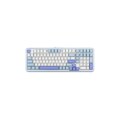 EPOMAKER TH99 – Full specificationSwitches Mechanical (Hot-swappable, 3/5 pin)Backlight Per-key RGBBattery Life ~70–80 hours
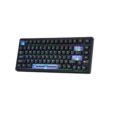 Epomaker HE80+ – Full specificationSwitches Magnetic Hall Effect (MagneX Switch)Backlight Per-key programmable RGBMode USB A to USB C cable connection
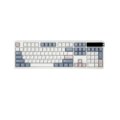 EPOMAKER TH108 PRO – Full specificationSwitches Mechanical (Hot-swappable, 3-pin & 5-pin compatible)Backlight Per-key RGB + rear side light stripsBattery Life Approx. 28 hours (RGB on)
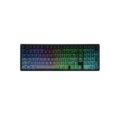 EPOMAKER Galaxy100 Lite – Full specificationSwitches Pre-lubed hot-swappable linear mechanical switchesBacklight Per-key RGB with south-facing LEDsBattery Life Battery optimized for endurance with RGB on (hours not explicitly stated)