
- InputArena – Compare Mouse & Keyboard
- All Gadgets
- Mouse
- Logitech MX Anywhere 3S – Specification, Price and Review
Mouse
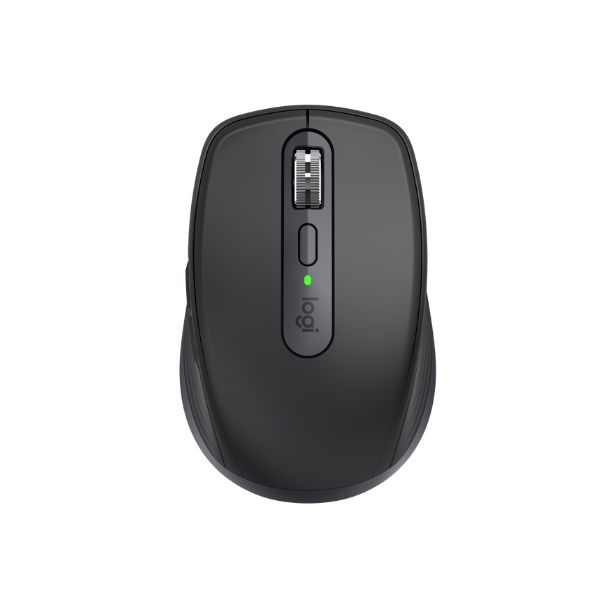
Logitech MX Anywhere 3S – Specification, Price and Review
Available
Official
Pros & Cons
Pros
- Listed sensor: Darkfield sensor
- DPI range: 200 – 8,000 (adjustable in 50 DPI increments)
- Polling rate: Bluetooth report rate: 88-133 Hz (7.5-11.25 ms latency)
- Weight: 99 g (0.22 lbs)
- Connection: Wireless (Bluetooth Low Energy, Logi Bolt USB receiver)
- Switches: Standard mechanical buttons with quiet click technology
- Grip guidance: Fingertip, Claw
Cons
- Shape and hand fit should be checked against your own grip style
Specifications
Basic Information
| Brand | Logitech |
| Model Name | MX Anywhere 3S |
| Release Year | 2023 |
| Grip Style | Fingertip, Claw |
| Ergonomics | Ambidextrous (right-handed optimized) |
| Color Options | Graphite, Rose, Pale Gray |
Dimensions & Weight
| Length | 34.4 mm (1.35 in) |
| Width | 65 mm (2.56 in) |
| Height | 100.5 mm (3.96 in) |
| Weight | 99 g (0.22 lbs) |
| Material | Plastic body with rubberized silicone side grips |
| Feet Material | PTFE (Polytetrafluoroethylene) |
Sensor & Performance
| Sensor Type | Optical (Darkfield high precision) |
| Sensor Model | Darkfield sensor |
| Resolution (DPI) | 200 – 8,000 (adjustable in 50 DPI increments) |
| Tracking Accuracy | Precise any-surface tracking including glass (minimum 4 mm thickness) |
| Polling Rate | Bluetooth report rate: 88-133 Hz (7.5-11.25 ms latency) |
| Max Tracking Speed | N/A |
| Max Acceleration | N/A |
| Lift-off Distance | N/A |
| Click Latency | Moderate (not optimized for fast-paced gaming) |
| Onboard Memory | No |
Switches & Buttons
| Switch Type | Standard mechanical buttons with quiet click technology |
| Durability | Rated for 10 million clicks |
| Total Buttons | 6 buttons (Left/Right-click, Back/Forward, Wheel mode-shift, Middle click) |
| Scroll Wheel | MagSpeed electromagnetic scroll wheel with smartshift (ratchet & hyper-fast) |
| Side Buttons | Back and Forward (left side only) |
| Middle Click | Standard |
| Macro Support | Supported via Logitech Options+ software |
Connectivity
| Connection Type | Wireless (Bluetooth Low Energy, Logi Bolt USB receiver) |
| Cable Length | N/A (wireless rechargeable) |
| Cable Type | USB-C charging cable included |
| Wireless Receiver | Logi Bolt USB receiver (sold separately) |
| Charging Port | USB-C |
| Compatibility | Windows 10, 11 or later; macOS 10.15 or later; Linux (basic); ChromeOS; iPadOS 14+; Android 8.0+ |
Compatibility
| Software | Logitech Options+ |
| System Support | Windows 10/11+, macOS 10.15+, Linux (basic), ChromeOS, iPadOS, Android |
| Interface Required | USB-A or Bluetooth Low Energy required |
Battery & Charging
| Battery Type | Built-in rechargeable Lithium Polymer (500 mAh) |
| Battery Life | Up to 70 days per charge |
| Charging Method | USB-C wired charging |
| Charge Time | Approx. 2 hours for full charge; 3 hours use from 1-minute quick charge |
Smart Features
| Smart Features | Quiet click buttons, MagSpeed wheel with SmartShift, multi-device pairing (up to 3), Darkfield sensor, ambidextrous design with silicone side grips, sustainability with 78% post-consumer recycled plastics and FSC packaging |
More from Logitech
 Logitech M170 – Full specificationSensor Logitech Advanced Optical TrackingDPI 1000 DPI (fixed)Polling Rate 125 Hz
 Logitech M171 – Full specificationDPI 1000 DPI (fixed)Polling Rate 125 Hz (8 ms)Weight 70.5 g (with battery)
 Logitech M186 – Full specificationDPI 1000 DPI (fixed)Polling Rate 125 HzWeight 75 g (without battery) / 82 g (with AA battery)
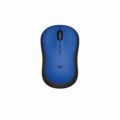 Logitech M220 – Full specificationSensor Logitech Advanced Optical TrackingDPI 1000 DPI (fixed)Polling Rate 125 Hz
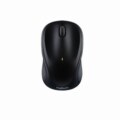 Logitech M317 – Full specificationSensor Logitech Advanced OpticalDPI 1000 DPI (fixed)Polling Rate 125 Hz (8 ms)
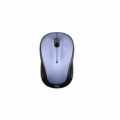 Logitech M325 – Full specificationSensor Advanced Optical TrackingDPI 1000 DPIPolling Rate 125 Hz
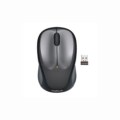 Logitech M235 – Full specificationSensor Advanced Optical TrackingDPI 1000 DPIPolling Rate 125 Hz
 Logitech Wireless Mouse M185 – Specification, Price and ReviewSensor Advanced Optical TrackingDPI 1000 DPI (fixed)Polling Rate N/A (wireless)
 Logitech M190 Full-Size Wireless – Specification, Price and ReviewSensor Standard Optical SensorDPI 1000 DPIWeight 90 g (0.2 lbs)
 Logitech M190 Full-Size WirelessSensor Standard Optical SensorDPI 1000 DPIWeight 90 g (0.2 lbs)