
- InputArena – Compare Mouse & Keyboard
- All Gadgets
- Mouse
- Logitech MX Ergo S – Specification, Price and Review
Mouse
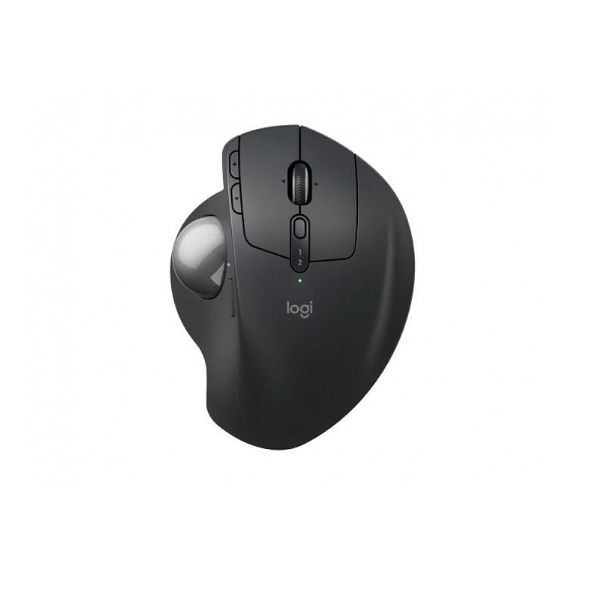
Logitech MX Ergo S – Specification, Price and Review
Available
Official
Pros & Cons
Pros
- DPI range: 512 – 2048 (switchable DPI, precision/speed modes)
- Polling rate: Not specified (standard wireless polling)
- Weight: 164 g (0.36 lbs) (without metal plate/receiver); 259 g (0.57 lbs) (with metal plate/receiver)
- Connection: Wireless (2.4 GHz Logi Bolt USB receiver) / Bluetooth Low Energy / Wired USB-C (charging only)
- Switches: Quiet mechanical micro-switches
- Grip guidance: Palm, Finger, Thumb control
Cons
- Sensor model should be verified before publishing
- Heavier than many modern lightweight gaming mice
- Shape and hand fit should be checked against your own grip style
Specifications
Basic Information
| Brand | Logitech |
| Model Name | MX Ergo S |
| Release Year | 2025 |
| Grip Style | Palm, Finger, Thumb control |
| Ergonomics | Right-handed, 20-degree adjustable tilt (0°/20°) |
| Color Options | Graphite |
Dimensions & Weight
| Length | 132.5 mm (5.22 in) |
| Width | 99.8 mm (3.93 in) |
| Height | 51.4 mm (2.02 in) |
| Weight | 164 g (0.36 lbs) (without metal plate/receiver); 259 g (0.57 lbs) (with metal plate/receiver) |
| Material | Sculpted ergonomic soft rubber, matte-textured ABS |
| Feet Material | Low-friction PTFE |
Sensor & Performance
| Sensor Type | Optical (Logitech Advanced Optical Tracking) |
| Resolution (DPI) | 512 – 2048 (switchable DPI, precision/speed modes) |
| Tracking Accuracy | Precision thumb trackball, zero smoothing/acceleration |
| Polling Rate | Not specified (standard wireless polling) |
| Max Tracking Speed | Not specified |
| Max Acceleration | Not specified |
| Lift-off Distance | Not applicable (trackball) |
| Click Latency | Standard wireless, optimized for office productivity |
| Onboard Memory | Supports custom button profiles with Logi Options+ |
Switches & Buttons
| Switch Type | Quiet mechanical micro-switches |
| Durability | Rated for millions of actuations |
| Total Buttons | 8 Buttons (6 programmable via Logi Options+) |
| Scroll Wheel | 4-way precision tilt mechanical wheel (horizontal/vertical scroll) |
| Side Buttons | Customizable (forward/back, app-switch) |
| Middle Click | Scroll wheel click (middle click) |
| Macro Support | Yes (via Logi Options+) |
Connectivity
| Connection Type | Wireless (2.4 GHz Logi Bolt USB receiver) / Bluetooth Low Energy / Wired USB-C (charging only) |
| Cable Length | User-supplied USB-C cable (not included) |
| Cable Type | Compatible with USB-C standard cables |
| Wireless Receiver | Logi Bolt Nano Receiver (USB-A interface) |
| Charging Port | USB-C (fast charging) |
| Compatibility | Windows 10/11 or later, macOS 12 or later, ChromeOS, Linux, iPadOS 15+, Android 12+ |
Compatibility
| Software | Logi Options+ customization app (Windows/macOS) |
| System Support | Requires USB-A port for receiver, Bluetooth for direct connection |
Battery & Charging
| Battery Type | Built-in Lithium Polymer, 500 mAh |
| Battery Life | Up to 120 days per charge (typical use) |
| Charging Method | USB-C Wired (cable not included, works while charging) |
| Charge Time | 1 minute quick charge for 24 hours use; approx. 2 hours for full charge |
Smart Features
| Smart Features | Adjustable 0°/20° tilt, Quiet-click and tactile feedback, Switch cursor speed (precision/rapid tracking), Multi-device Easy-Switch, FLOW cross-computer file drag & drop, Customizable shortcut/macro assignment, Auto sleep power management, Battery status LED indicator |
More from Logitech
 Logitech M170 – Full specificationSensor Logitech Advanced Optical TrackingDPI 1000 DPI (fixed)Polling Rate 125 Hz
 Logitech M171 – Full specificationDPI 1000 DPI (fixed)Polling Rate 125 Hz (8 ms)Weight 70.5 g (with battery)
 Logitech M186 – Full specificationDPI 1000 DPI (fixed)Polling Rate 125 HzWeight 75 g (without battery) / 82 g (with AA battery)
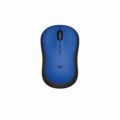 Logitech M220 – Full specificationSensor Logitech Advanced Optical TrackingDPI 1000 DPI (fixed)Polling Rate 125 Hz
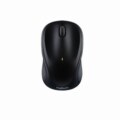 Logitech M317 – Full specificationSensor Logitech Advanced OpticalDPI 1000 DPI (fixed)Polling Rate 125 Hz (8 ms)
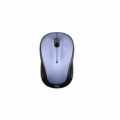 Logitech M325 – Full specificationSensor Advanced Optical TrackingDPI 1000 DPIPolling Rate 125 Hz
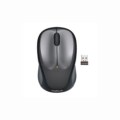 Logitech M235 – Full specificationSensor Advanced Optical TrackingDPI 1000 DPIPolling Rate 125 Hz
 Logitech Wireless Mouse M185 – Specification, Price and ReviewSensor Advanced Optical TrackingDPI 1000 DPI (fixed)Polling Rate N/A (wireless)
 Logitech M190 Full-Size Wireless – Specification, Price and ReviewSensor Standard Optical SensorDPI 1000 DPIWeight 90 g (0.2 lbs)
 Logitech M190 Full-Size WirelessSensor Standard Optical SensorDPI 1000 DPIWeight 90 g (0.2 lbs)