
- InputArena – Compare Mouse & Keyboard
- All Gadgets
- Mouse
- Logitech MX Master 3S
Mouse
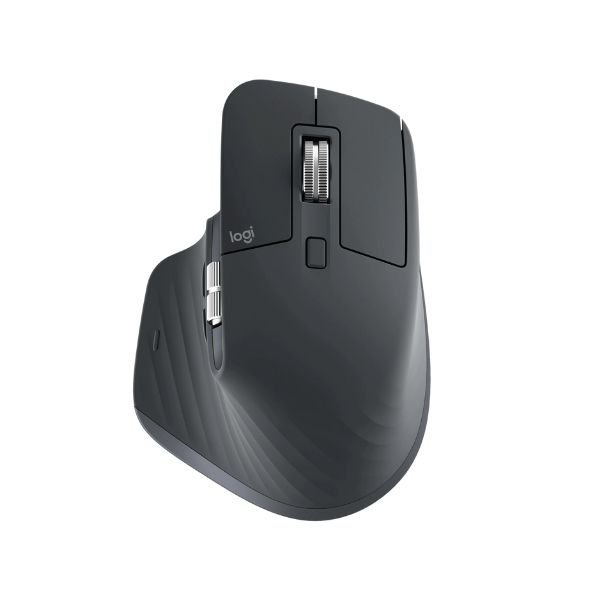
Pros & Cons
Pros
- 141 g (0.31 lbs) listed weight (heavier class)
- Darkfield sensor sensor is identified, making comparison easier
- Wired, 2.4 GHz and Bluetooth connection choices
- Published battery guidance: Up to 70 days per charge
Cons
- Fit is personal; compare 124.9 mm (4.92 in) × 84.3 mm (3.32 in) × 51 mm (2 in) with a mouse you already use
Specifications
Basic Information
| Brand | Logitech |
| Model Name | MX Master 3S |
| Release Year | 2022 |
| Grip Style | Palm |
| Ergonomics | Right-handed |
| Color Options | Graphite, Pale Gray |
Dimensions & Weight
| Length | 124.9 mm (4.92 in) |
| Width | 84.3 mm (3.32 in) |
| Height | 51 mm (2 in) |
| Weight | 141 g (0.31 lbs) |
| Material | High-quality plastic with textured surfaces |
| Feet Material | Not specified |
Sensor & Performance
| Sensor Type | Optical (Darkfield high precision) |
| Sensor Model | Darkfield sensor |
| Resolution (DPI) | 200 – 8,000 (adjustable in 50 DPI increments) |
| Tracking Accuracy | Highly precise, tracks on virtually any surface including glass |
| Polling Rate | 125 Hz (Logi Bolt USB receiver), 90 Hz (Bluetooth) |
| Max Tracking Speed | Not officially specified |
| Max Acceleration | Not officially specified |
| Lift-off Distance | Fixed (not adjustable) |
| Click Latency | Decent for casual use, slightly higher than gaming mice |
| Onboard Memory | No onboard memory |
Switches & Buttons
| Switch Type | Quiet Click mechanical switches |
| Durability | Rated for 10 million clicks |
| Total Buttons | 7 programmable buttons (Left/Right click, Back/Forward, App-Switch, Wheel mode-shift, Middle click) |
| Scroll Wheel | MagSpeed electromagnetic scroll wheel, nearly silent, 1000 lines per second scrolling speed |
| Side Buttons | Back/Forward, Thumb Wheel (horizontal scroll) |
| Middle Click | Standard |
| Macro Support | Yes (via Logitech Options+ software) |
Connectivity
| Connection Type | Wireless (Logi Bolt USB receiver, Bluetooth Low Energy) |
| Cable Length | USB-C charging cable included (USB-A to USB-C) |
| Cable Type | USB-C (for charging only; mouse is wireless) |
| Wireless Receiver | Logi Bolt USB receiver (included for Windows) |
| Charging Port | USB-C (fast charging) |
| Compatibility | Windows, macOS, Linux, ChromeOS, iPadOS |
Compatibility
| Software | Logitech Options+ (Windows, macOS) |
| System Support | Windows, macOS, Linux, ChromeOS, iPadOS |
| Interface Required | USB-A or Bluetooth Low Energy required |
Battery & Charging
| Battery Type | Built-in rechargeable Lithium Polymer 500 mAh battery |
| Battery Life | Up to 70 days per charge |
| Charging Method | USB-C wired charging |
| Charge Time | Full charge in approx. 2 hours; 1 minute charge = 3 hours use, 3 minutes = 1 day use |
Smart Features
| Smart Features | Quiet Click technology (90% less click noise) MagSpeed scrolling, multi-device pairing (up to 3 devices) customizable buttons and profiles via Logitech Options+ ergonomic design, fast precise tracking even on glass |
More from Logitech
 Logitech M170 – Full specificationSensor Logitech Advanced Optical TrackingDPI 1000 DPI (fixed)Polling Rate 125 Hz
 Logitech M171 – Full specificationDPI 1000 DPI (fixed)Polling Rate 125 Hz (8 ms)Weight 70.5 g (with battery)
 Logitech M186 – Full specificationDPI 1000 DPI (fixed)Polling Rate 125 HzWeight 75 g (without battery) / 82 g (with AA battery)
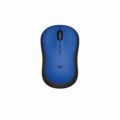 Logitech M220 – Full specificationSensor Logitech Advanced Optical TrackingDPI 1000 DPI (fixed)Polling Rate 125 Hz
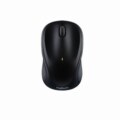 Logitech M317 – Full specificationSensor Logitech Advanced OpticalDPI 1000 DPI (fixed)Polling Rate 125 Hz (8 ms)
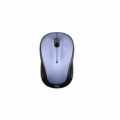 Logitech M325 – Full specificationSensor Advanced Optical TrackingDPI 1000 DPIPolling Rate 125 Hz
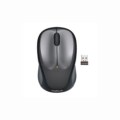 Logitech M235 – Full specificationSensor Advanced Optical TrackingDPI 1000 DPIPolling Rate 125 Hz
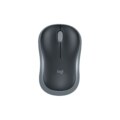 Logitech Wireless Mouse M185 – Specification, Price and ReviewSensor Advanced Optical TrackingDPI 1000 DPI (fixed)Polling Rate N/A (wireless)
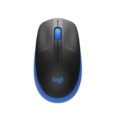 Logitech M190 Full-Size Wireless – Specification, Price and ReviewSensor Standard Optical SensorDPI 1000 DPIWeight 90 g (0.2 lbs)
 Logitech M190 Full-Size WirelessSensor Standard Optical SensorDPI 1000 DPIWeight 90 g (0.2 lbs)