
- InputArena – Compare Mouse & Keyboard
- All Gadgets
- Mouse
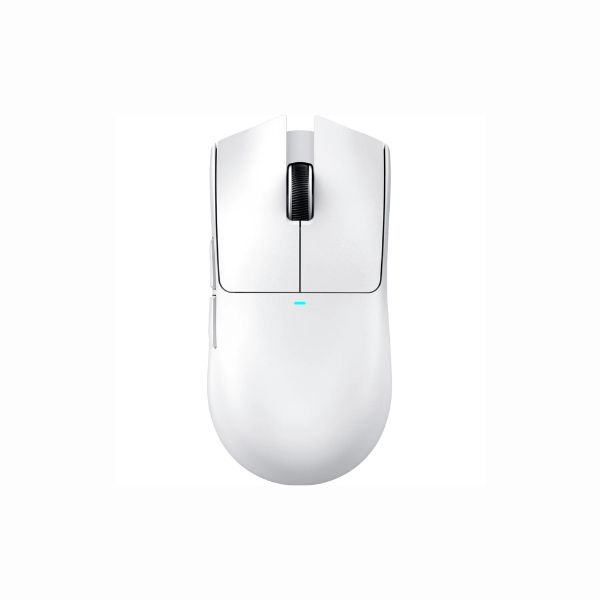
- Attack Shark X11 – Full specification
Mouse
Pros & Cons
Pros
- 63 g (±3 g) listed weight (lightweight class)
- PixArt PAW3311 sensor is identified, making comparison easier
- Wired, 2.4 GHz and Bluetooth connection choices
- Published battery guidance: Up to 65 Hours
Cons
- Fit is personal; compare 128 mm × 64 mm × 40 mm with a mouse you already use
Specifications
Basic Information
| Brand | Attack Shark |
| Model Name | X11 |
| Release Year | 2024 |
| Category | Mouse |
| Grip Style | Palm, Claw |
| Ergonomics | Right-handed |
| Design Type | Gaming |
| Color Options | Black, White |
Dimensions & Weight
| Length | 128 mm |
| Width | 64 mm |
| Height | 40 mm |
| Weight | 63 g (±3 g) |
| Material | Matte-textured engineering plastic |
| Feet Material | PTFE (Low Friction) |
Sensor & Performance
| Sensor Type | Optical |
| Sensor Model | PixArt PAW3311 |
| Resolution (DPI) | 800 – 22,000 DPI |
| Tracking Accuracy | Precise (minimal smoothing) |
| Polling Rate | 125 – 1000 Hz |
| Max Tracking Speed | 400 IPS |
| Max Acceleration | 40 G |
| Lift-off Distance | Software adjustable |
| Click Latency | Low |
| Onboard Memory | No |
Switches & Buttons
| Switch Type | HUANO White Spot |
| Durability | 20 Million clicks |
| Total Buttons | 6 |
| Scroll Wheel | TTC Encoder |
| Side Buttons | 2 |
| Middle Click | Standard |
| Macro Support | Yes |
Connectivity
| Connection Type | Tri-mode (2.4 GHz / Bluetooth 5.2 / Wired) |
| Cable Length | Not specified |
| Cable Type | USB-C |
| Wireless Receiver | 2.4 GHz Nano Dongle |
| Charging Port | USB-C + Magnetic Dock |
| Compatibility | Windows, macOS, Android, Xbox |
Compatibility
| Software | Attack Shark Driver |
| System Support | Windows, macOS |
| Interface Required | USB-A / USB-C port |
Battery & Charging
| Battery Type | Built‑in 300 mAh Lithium Polymer |
| Battery Life | Up to 65 Hours |
| Charging Method | USB‑C or Magnetic Dock |
| Charge Time | 2–3 hours |
Smart Features
| Smart Features | RGB lighting (dock touch control) Tri‑mode switching DPI color indicators Driver customization Magnetic charging dock |
Related Comparisons


More from attack-shark
 ATTACK SHARK X8 PLUS – Full specificationSensor PixArt PAW3395PRODPI 50 – 40,000 DPIPolling Rate Up to 8000 Hz
 ATTACK SHARK V5 – Full specificationSensor PixArt PAW3950 MAXDPI 100 – 30,000 DPIPolling Rate 8000 Hz
 AJazz AJ159 APEX – Full specificationSensor PixArt PAW3950 APEXDPI Up to 42,000 DPIPolling Rate 8000 Hz
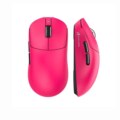 ATTACK SHARK X8 – Full specificationSensor PixArt (model not specified)DPI 100 – 25,000 DPIPolling Rate 1000 Hz
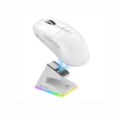 ATTACK SHARK V6 – Full specificationSensor PixArt PAW3311DPI 800–25,000Polling Rate 125–1000 Hz
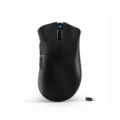 ATTACK SHARK V3 – Full specificationSensor PixArt PAW3311DPI 800–25,000Polling Rate 125–1000 Hz (Wired/2.4G), 133 Hz (BT)
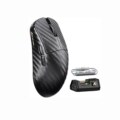 ATTACK SHARK R11 Ultra – Full specificationSensor PixArt PAW3950 MAXDPI 50 – 42,000 DPIPolling Rate 8000 Hz
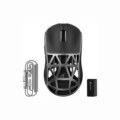 Attack Shark R2 – Full specificationSensor PixArt PAW3950DPI 100 – 42,000 DPI (6 levels)Polling Rate 8000 Hz
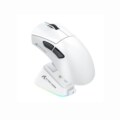 ATTACK SHARK V3 PRO – Full specificationSensor PixArt PAW3950MAXDPI Up to 30,000 DPIPolling Rate Up to 4000 Hz
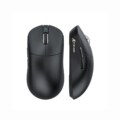 ATTACK SHARK V8 – Full specificationSensor PixArt PAW3950MAXDPI 100 – 42,000 DPIPolling Rate 8000 Hz